
Crimpd on the iPhone Duo and Tablets
 PK
Peter Klimek
The iPhone Duo is a big part of why we moved Crimpd to native when we did. We wanted the app to make real use of the inner display, and that's something version 9 now does. The same work applies to iPads, Android tablets, and Android foldables, so this post is for anyone using Crimpd on a bigger screen. If that's not you, the 9.0 post covers everything else.
Version 9 has started rolling out on the App Store and Google Play, and it's on schedule to reach everyone by early next week.
Every screen in 9.0 lays itself out from the width it's given. Unfold a Duo, or open the app on a tablet, and you get the wide layouts described below. Fold the Duo and its outer display works like any other iPhone. The screenshots here are from the Duo, but tablets get the same layouts with more room.
The workout timer
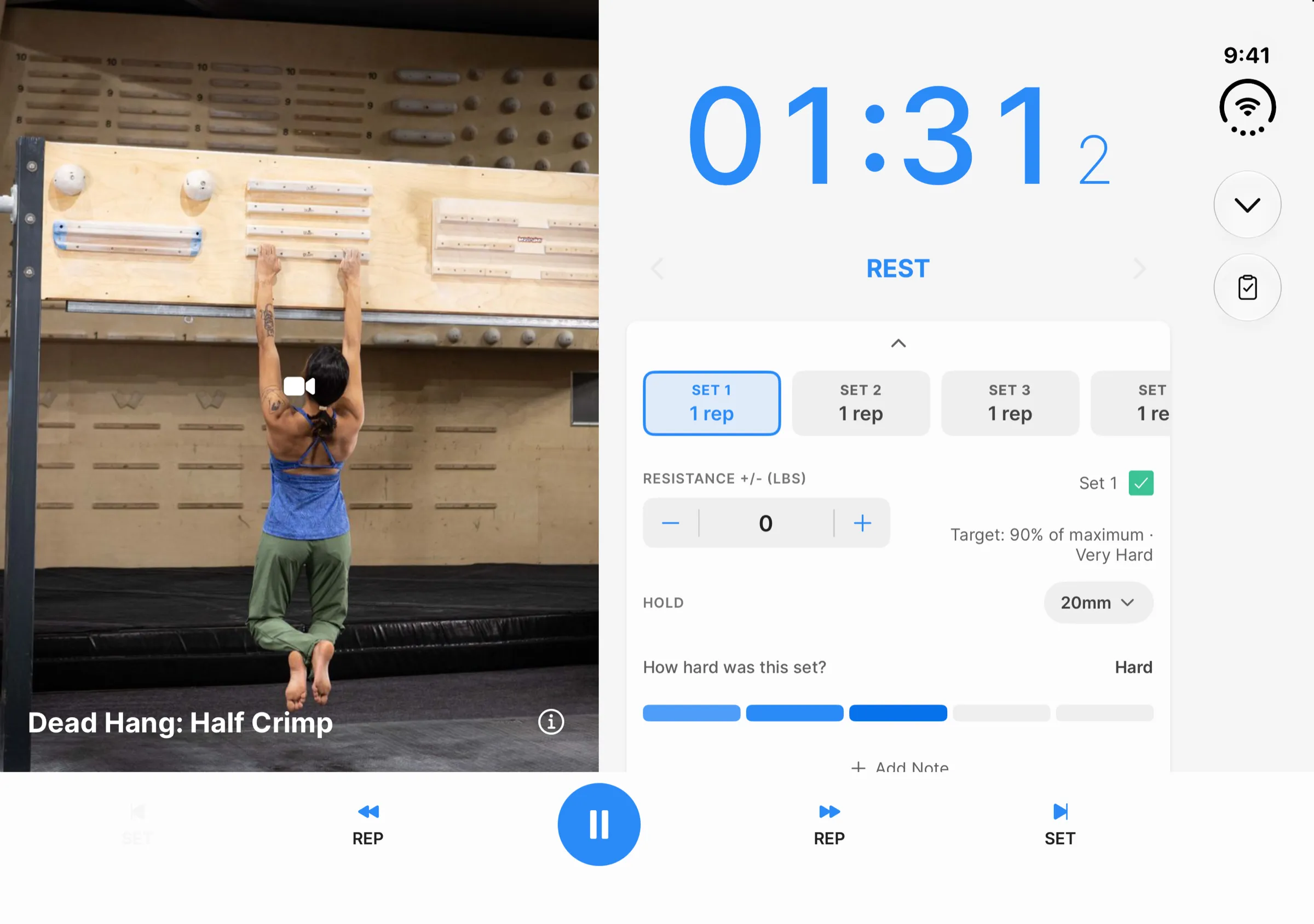
When the screen is wider than it is tall, the exercise photo takes one half of the display and the clock, the current phase, and the set panel take the other, with the controls running along the bottom. You can log the weight and effort for a set without covering the timer.
Calendar
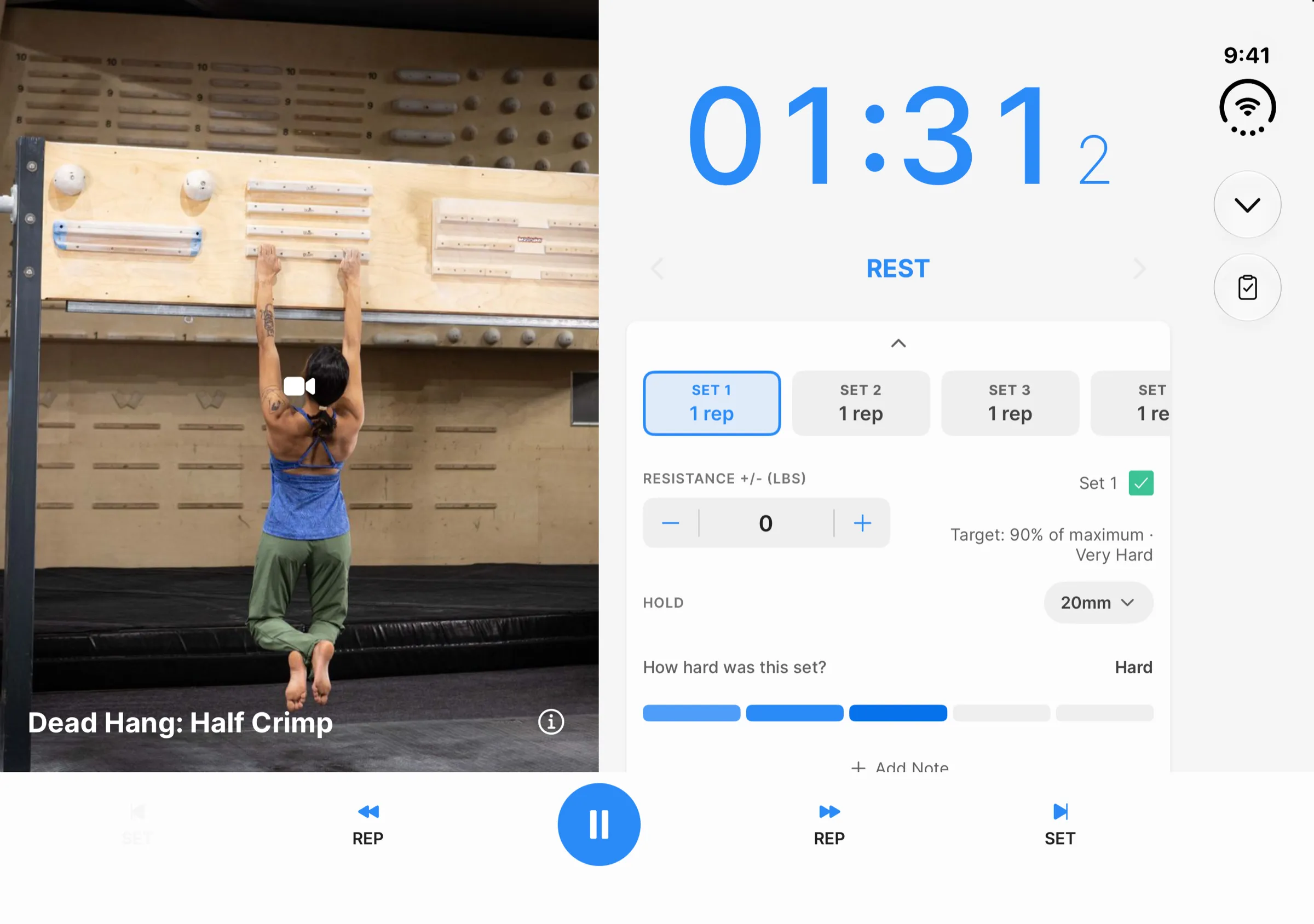
The month stays docked on one side of the display along with a summary of your training plan, and the week's workouts are listed beside it. On the widest screens, such as an iPad in landscape with the sidebar hidden, a third pane shows the details of the workout you select, so the month, the week, and the workout are all on screen at once.
Analytics
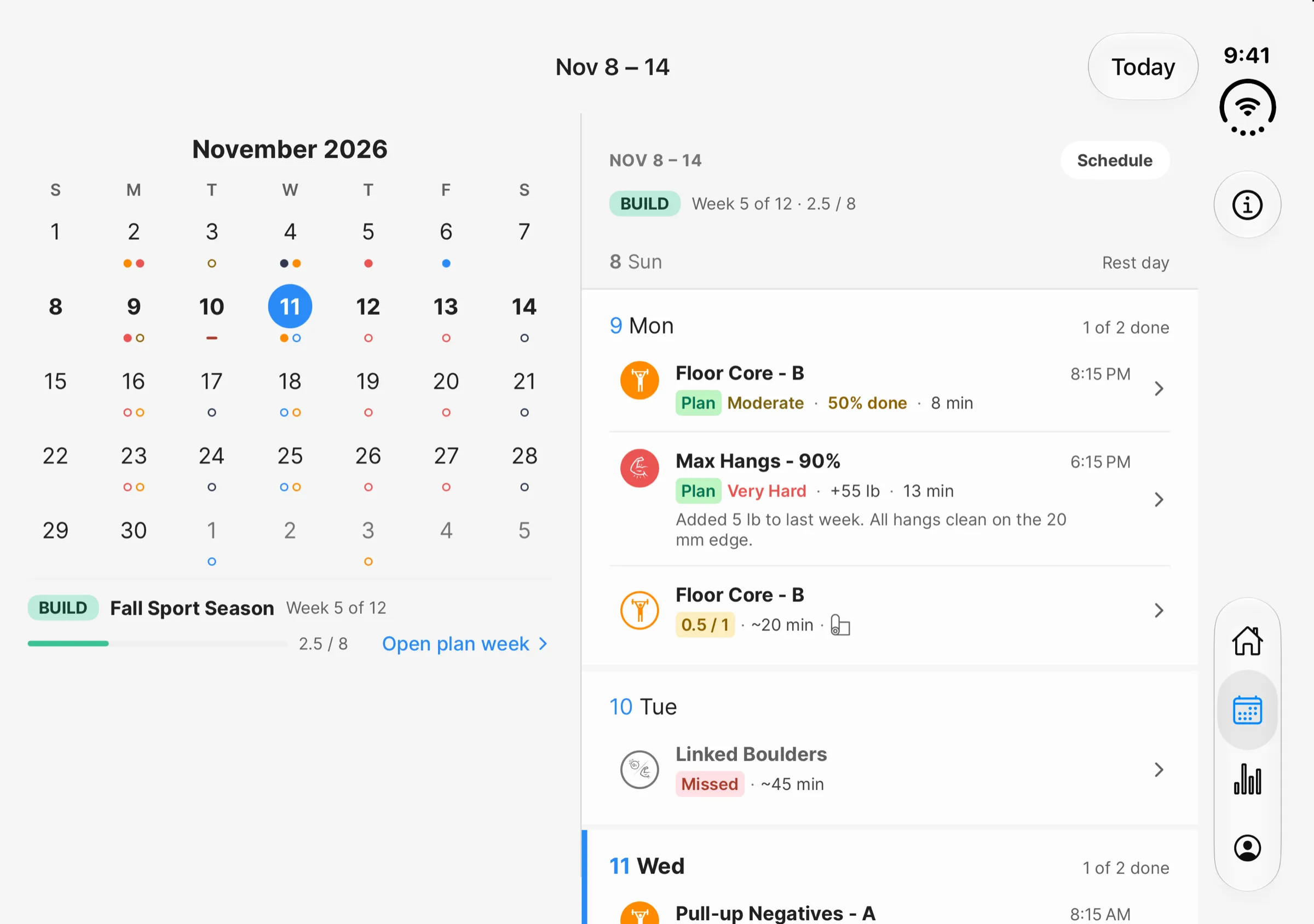
The four summary tiles (sessions, training time, active days, and average intensity) sit in a single row, and the cards below them run in two columns, so more of your charts fit on screen at once.
Training plans and everything else
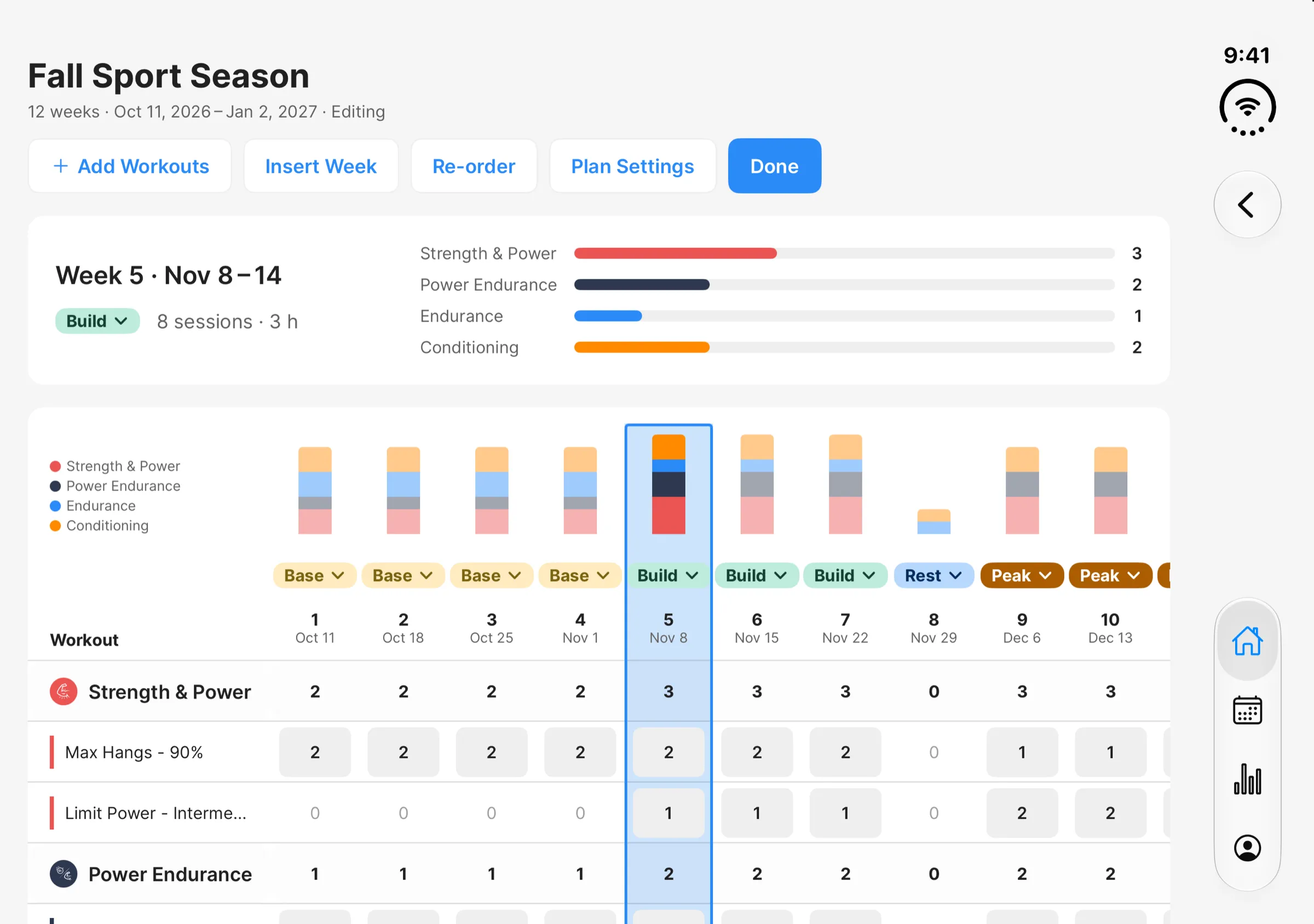
On a wide screen the plan builder switches to a table editor, so you can see and adjust several weeks of a plan at once. Each column is a week with its phase and a bar showing its training volume by category, and each row is a workout with its sessions per week.
For getting around, iPads have a sidebar and Android tablets have a navigation rail along the side. Home, the workout lists, and a workout's details page each lay out in two columns, and in up to four on the largest tablets. Settings and other simple pages stay as a single centered column.
Android foldables
Android foldables get the same wide layouts when unfolded in landscape. When the phone is half-open, the Calendar splits its two panes at the hinge and the plan table shifts a column past it, so nothing sits on the fold.
What it doesn't do yet
There's no tabletop layout for a half-folded phone on either platform. Beyond the hinge handling on Android, the app only responds to how much screen it has. Your place in the app, a running timer, and any unsaved edits should carry over when you fold or unfold.
We built most of the Duo layouts against Apple's simulator, and we're still waiting to get our hands on a physical device, so let us know how the app feels. If something looks off on your Duo or your tablet, we're at support@crimpd.com.
-pk
About the author
PKPeter Klimek
Co-founder & Developer
Peter is the co-founder of Crimpd and the CTO of Lattice Training. He builds training tools for climbers who want to get stronger without guesswork. When he's not working, he can be found building trails and developing new boulders in the Pacific Northwest.